BrightGrow products · Made in India

Software we build and run ourselves

Small, focused SaaS for the jobs that eat up your day at the counter, the clinic and the godown. Each product solves one job well, works on the phones people already have, and is priced for small teams.

Setup
1 day
Free trial
14 days
App to install
None
Pricing
On demo call

Need a website, store or SEO instead? See our services.

01 / 03
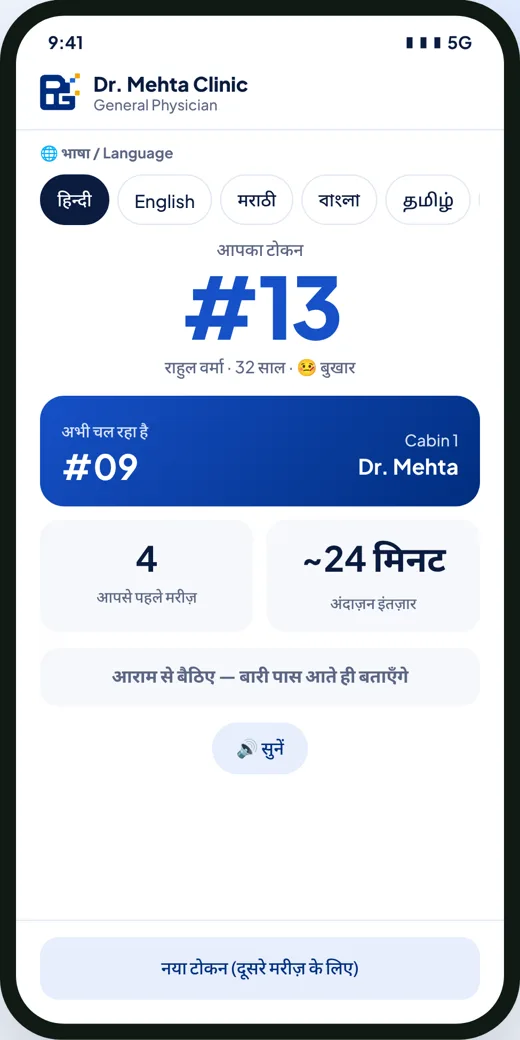
Patient's phone showing token #13, the token now being seen and an estimated 24-minute wait
Patient's phone: token number and live wait
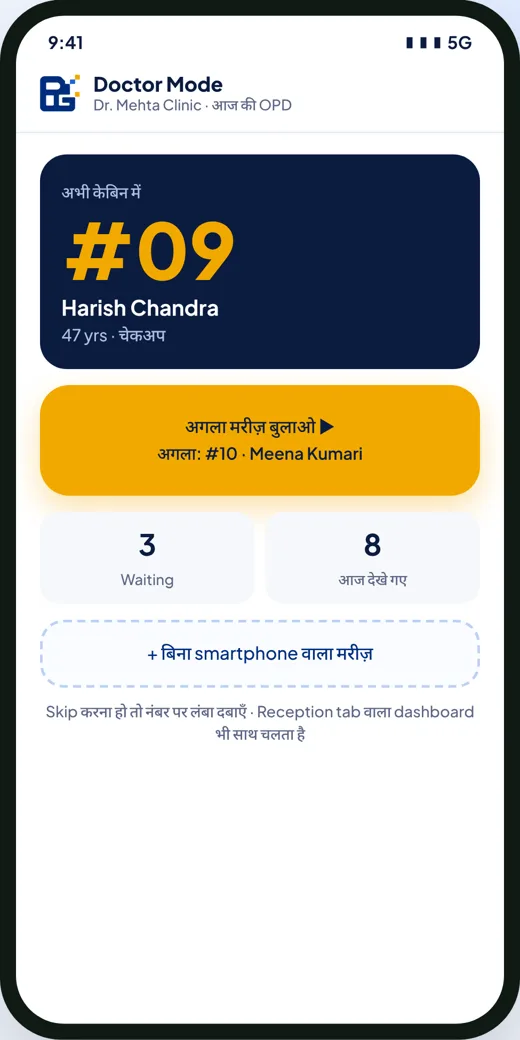
Doctor Mode screen with the current patient and a large next-patient button
Doctor Mode: one button runs the queue
LiveFor healthcare

Smart Clinic Queue

No more crowded waiting rooms — patients scan a QR, get a token and see their turn on their phone.

  • QR token, no app download. Opens in the phone's browser. Nothing to install.
  • Live status on the patient's phone. Patients ahead, estimated wait and a “your turn” alert.
  • 13 Indian languages. हिन्दी, English, मराठी, বাংলা, தமிழ், తెలుగు, ગુજરાતી, ಕನ್ನಡ, മലയാളം, ਪੰਜਾਬੀ, ଓଡ଼ିଆ, অসমীয়া, اردو. Picture buttons and a listen button for patients who read less.
  • Setup in 1 day
  • 14-day free trial
  • No app for patients
02 / 03
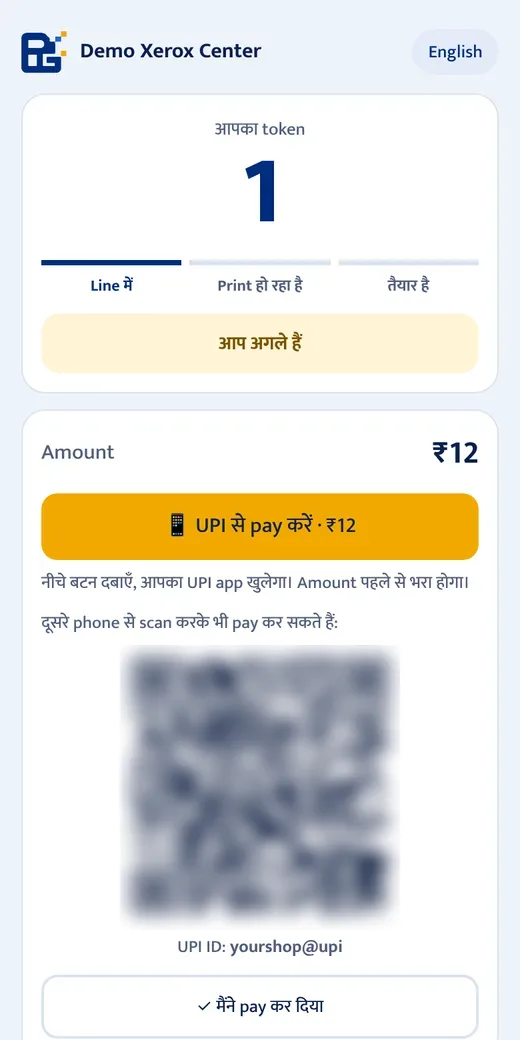
Order page with token 1, a pay-with-UPI button for ₹12 and an I have paid button
Token number and UPI payment
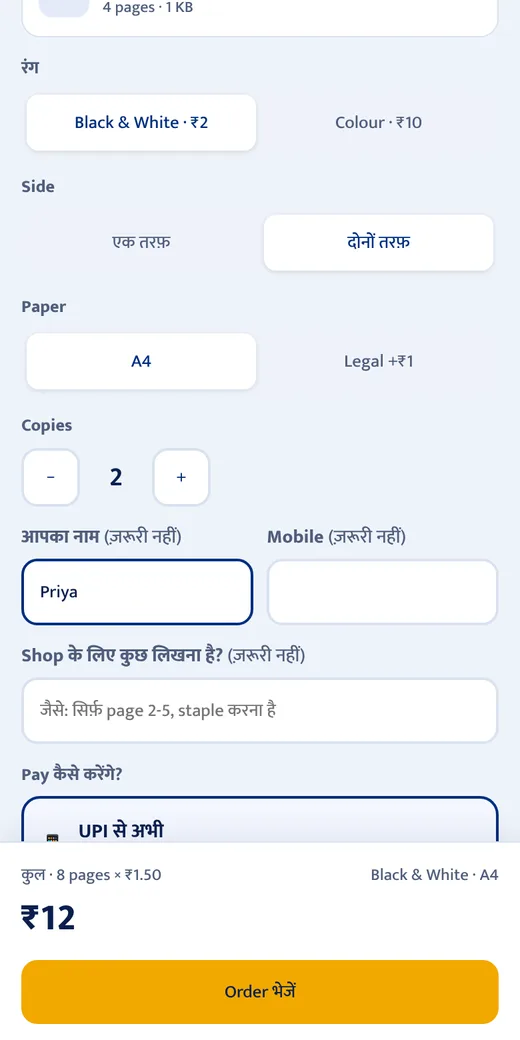
Customer's phone with an uploaded 4-page PDF, B&W double-sided, 2 copies and a total of ₹12
Customer uploads a file and sees the price
BetaFor print shops

Smart Print Queue

No more customer files on your WhatsApp: customers scan a QR, upload, pay by UPI and get a token.

  • QR upload, no app download. Opens in the phone's browser, in Hindi or English. Up to 5 files per order.
  • Price from your own rates. Set your per-page rate for B&W and colour, single and double side, and the Legal-size extra. The amount is always worked out on the server.
  • UPI to your own account. The customer's UPI app opens with your UPI ID and the amount filled in. Money goes straight to you; you confirm it on the dashboard.
  • Setup in 1 day
  • 14-day free trial
  • No app for customers
03 / 03
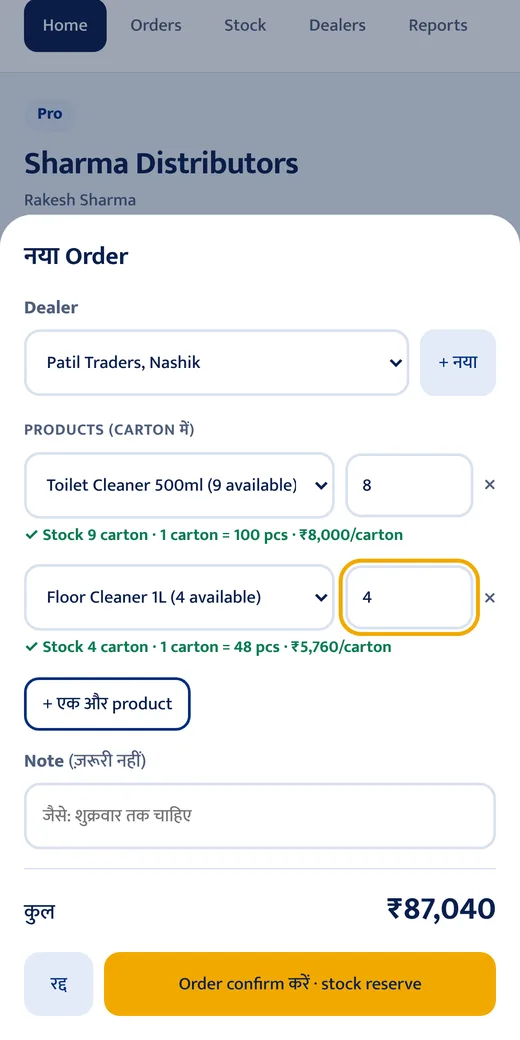
New order screen showing available cartons for each product before confirming
Available stock on every order line
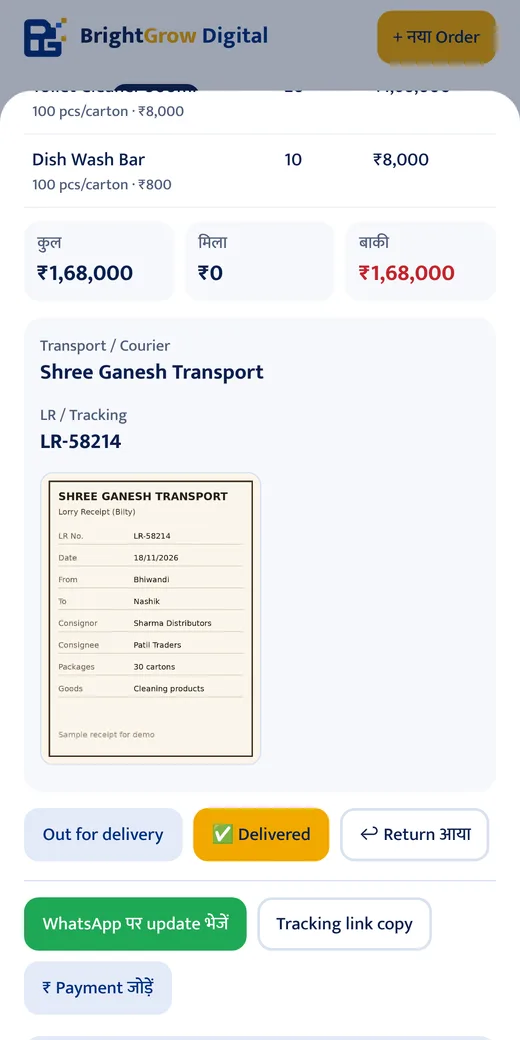
Order with transport name, LR number, bilty photo and a WhatsApp update button
Dispatch with LR number and bilty photo
BetaFor distribution & wholesale

Smart Stock & Delivery

See stock while you take the order, reserve it, and send dealers a tracking link on WhatsApp.

  • Live available stock. Available = godown stock minus cartons reserved for confirmed orders, shown on every order line.
  • No double-booking. Confirming an order reserves its cartons; an order for more than is available is refused, line by line.
  • Dispatch details in one place. Transport name, LR or AWB number, optional courier link and a bilty or parcel photo, saved on the order.
  • Setup in 1 day
  • 14-day free trial
  • Works on any phone

With every product

You buy software. You get a team that sets it up.

The same people who build the products install them, train your staff and answer your WhatsApp messages.

We set it up for you

Your account, your starting data and a 15-minute staff training, done in one day. You don't configure anything.

A real person on WhatsApp

Support comes from the team that builds the product, in Hindi or English. No ticket queue.

No lock-in

No long contracts. If it stops being useful, you can stop anytime.

Made for Indian counters

Hindi-first screens, works in any phone browser, built for small teams and busy days.

Your data stays yours

Only your account can see your customers' details. We don't sell or share them, and each product page says how long data is kept.

Built with you

Small products, improved from what owners tell us. Features marked coming soon are added as they launch.

At a glance

Compare the products.

Each product has Basic, Plus, Pro and Custom plans. Book a free demo and we share the price for your business.

BrightGrow products compared
FeatureSmart Clinic QueueSmart Print QueueSmart Stock & Delivery
Built forHealthcarePrint shopsDistribution & wholesale
What it doesQR token and live queue system for Indian clinics, in 13 languages.QR print orders, UPI payment and a token queue for Xerox and print shops.Stock in cartons, reserved orders, dispatch with LR numbers and dealer tracking for distributors.
StatusLiveBetaBeta
PricingBook a free demoBook a free demoBook a free demo
Free trial14 days14 days14 days
Setup1 day, done by us1 day, done by us1 day, done by us
Live demoTry it On a demo callOn a demo call

Questions

Before you book a demo.

Something else on your mind? Ask us on WhatsApp.

Do my customers or staff need to install an app?

No. Every BrightGrow product opens in the phone's browser, from a QR code or a link. Nothing to download from the app store.

Is there a free trial?

Yes. Every product starts with a 14-day free trial, so you can run it on real working days before you pay.

How long does setup take?

One day. We create your account, add your starting data and train your staff in about 15 minutes. You don't configure anything yourself.

How much do the products cost?

Every product has four plans: Basic, Plus, Pro and Custom. The price depends on your business and the features you need, so we share it on a free 15-minute demo. Book one from any product page.

Can I cancel anytime?

Yes. There is no lock-in contract.

Can you build software for a workflow that isn't listed here?

Yes. Many of our products started as a custom build for one client. Tell us the workflow you want to fix and we'll suggest whether a custom web application makes sense.

Custom software

Have a problem a product could solve?

Many of our products started as a custom build for one client. Tell us about the workflow you want to fix, and we'll tell you honestly whether it needs custom software.

Help us improve your experience by understanding how visitors use our website.

We use cookies to improve your browsing experience, understand website usage, and enhance our services. You can choose whether to allow optional cookies. Privacy details