
The short answer
The simplest test: who is the software for, and what do they do with it?
- A normal website is for visitors. Its job is to explain what you do, build trust and get people to call, WhatsApp, enquire or buy. Most people visit once or a few times.
- A custom web application is for logged-in users (your staff, clients, dealers or partners) who come back regularly to do work: enter data, approve requests, check status, download reports.
If your problem is "people don't understand us or don't contact us", you need a better website. If your problem is "our team spends hours copying data between spreadsheets, WhatsApp and email", you may need an application.
Website vs web application at a glance
| Normal website | Custom web application | |
|---|---|---|
| Main users | Visitors and prospects | Staff, clients, partners (logged in) |
| Main job | Inform, persuade, capture enquiries or sales | Run a process, store and update data |
| Typical features | Pages, blog, forms, WhatsApp, maps, store | Logins, roles, records, workflows, dashboards, notifications |
| Content changes | Occasional, through a CMS | Constant, through use |
| SEO | Essential | Usually not needed behind login |
| Typical cost (India) | ₹15,000–₹3,00,000 | ₹2,00,000–₹10,00,000+ |
| Typical timeline | 2–12 weeks | 8–24 weeks for the first version |
| Ongoing cost | Hosting and maintenance | Hosting, monitoring, support and improvements |
Our business website cost guide covers the website side in detail.
7 signs you have outgrown spreadsheets
If three or more of these are true, a custom application, or at least a serious look at off-the-shelf software, is likely worth it.
- The same data is typed in two or more places, for example an order in a WhatsApp chat, then in Excel, then in Tally.
- Only one person understands the master spreadsheet, and work stops when they are on leave.
- Customers or dealers call to ask for status updates that someone has to look up manually.
- Versions conflict. "Final_v3_updated_Ravi.xlsx" and "Final_v4.xlsx" both exist and disagree.
- You cannot control who sees what. Everyone with the file sees salaries, margins or all customers' data.
- Reports take a day to prepare each week or month, by copying and pasting.
- Mistakes cost real money: wrong prices quoted, duplicate dispatches, missed renewals or follow-ups.
Decision table: what do you actually need?
| Your situation | Best fit |
|---|---|
| You need more enquiries or sales from new visitors | A better website |
| You need to sell products online to consumers | An ecommerce website (Shopify, WooCommerce or custom) |
| You need to track leads and follow-ups | Off-the-shelf CRM first (Zoho, HubSpot, LeadSquared); custom if your process is unusual |
| Clients need to log in to see documents, status or invoices | A client portal (custom or built on a platform) |
| Dealers or distributors place repeat orders with special pricing | A B2B ordering portal |
| Your team runs a multi-step internal process with approvals | A custom internal web application |
| Managers need live numbers from several systems | A dashboard connected to those systems |
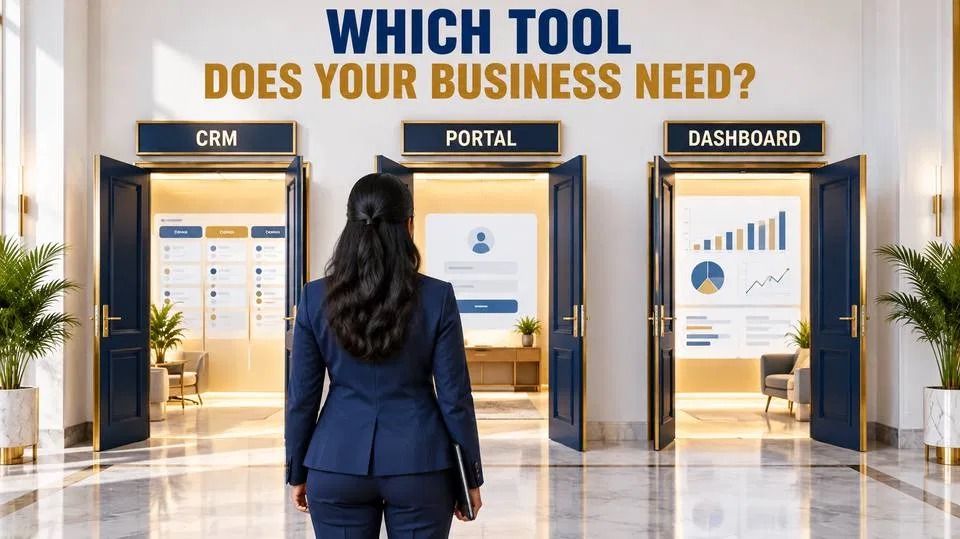
If you are not sure which of those terms applies to you, read CRM, client portal and dashboard: what is the difference?
What a custom web application costs
These are estimates for Indian development teams in 2026, excluding GST. US dollar figures are approximate, at about ₹88 to the dollar.
| Size | Example | Estimated cost | Approx. US$ | First-version timeline |
|---|---|---|---|---|
| Simple | Client portal to view project status and download files; one admin role, one client role | ₹2,00,000–₹4,00,000 | $2,300–$4,500 | 6–10 weeks |
| Mid-size | Dealer ordering portal with price lists, order tracking, approvals, email and WhatsApp alerts, Tally export | ₹4,00,000–₹10,00,000 | $4,500–$11,400 | 10–16 weeks |
| Complex | Multi-branch operations platform with several roles, workflows, integrations, reporting and a mobile app | ₹10,00,000+ | $11,400+ | 16–24+ weeks |
Plan running costs too: cloud hosting and database (often ₹2,000–₹25,000 a month for a business app), monitoring and backups, and a support retainer for fixes and small improvements. A common rule is to budget 15–25% of the build cost each year.
A worked example: from spreadsheet to portal
This illustrative example shows how a first version is usually scoped.
A building-materials distributor in Pune takes orders from 80 dealers by phone and WhatsApp. A coordinator types each order into a shared spreadsheet, checks stock with the warehouse by phone, then enters invoices in Tally. Dealers call several times a week to ask "Where is my order?"
Version 1 (about 10 weeks):
- Dealers log in and place orders from their own price list.
- Orders appear in an admin screen; the coordinator approves them.
- Order status (approved, packed, dispatched, delivered) is visible to the dealer.
- A daily export file is produced for Tally.
- A WhatsApp or SMS message is sent when an order is dispatched.
Left for version 2: live stock from the warehouse system, credit-limit checks, a mobile app, and analytics dashboards.
The point of version 1 is to remove the biggest manual task (typing orders and answering status calls), prove the system works and only then add more. This is also the best protection against scope creep.
Who owns the source code?
This matters more than most business owners realise. Before you sign, make sure the contract says:
- you own the intellectual property in the code written for you, on full payment;
- the code is kept in a repository you own (for example your own GitHub or GitLab organisation), with the developer added as a collaborator;
- hosting, database, domain and third-party accounts (email, SMS, payment gateway) are in your name;
- you receive documentation: how to deploy, environment settings and where data is stored;
- any open-source or licensed components are listed.
If the developer stops working with you, you should be able to hand everything to someone else without starting again.
Before you build: questions to answer
Answering these before you speak to developers will shorten the project and sharpen every quote.
- Which single process are we fixing first? Name it, and the person who owns it.
- Who are the users, and how many of each? For example: 3 admins, 12 sales staff, 150 dealers.
- What does each user need to do, in order? Write the steps as they happen today.
- What data is involved, and where does it live now? Excel, Tally, WhatsApp, email, an existing CRM.
- What must the app connect to? Accounting, payment gateway, SMS or WhatsApp, an ERP.
- Who approves what? Approval rules are where most of the complexity hides.
- What reports do managers need each week?
- What does success look like in numbers? Hours saved, calls avoided, errors reduced.
What a typical business web app is built with, in plain words
You do not need to choose technology yourself, but it helps to recognise a sensible proposal.
| Part | What it does | Common choices |
|---|---|---|
| Front end | The screens users see in the browser | React or Next.js |
| Back end and API | Business rules, permissions, integrations | Node.js, Python or PHP frameworks |
| Database | Stores records safely | PostgreSQL or MySQL |
| Hosting | Runs the app | AWS, Google Cloud, Azure or Vercel, ideally in an Indian region such as Mumbai for speed and data-residency comfort |
| Authentication | Logins, OTP, roles | Built in, or services such as Auth0, Clerk or Firebase Auth |
| Notifications | Email, SMS, WhatsApp | Email services, Indian SMS gateways, WhatsApp Business API providers |
Ask how backups, security updates and error monitoring will work. A proposal that only describes screens and not these basics is incomplete.
Data protection is part of the scope
If your app stores personal data about customers, patients, employees or dealers, India's Digital Personal Data Protection Act applies. In practice that means collecting only what you need, telling people why, controlling who can see what, keeping access logs for sensitive records and being able to delete data on request. Build these in from version 1; adding them later is far more expensive.
Common mistakes with custom apps
- Building every feature anyone mentions, instead of the smallest useful version.
- Copying a messy spreadsheet process exactly, instead of simplifying it first.
- No one inside the business owning the project and testing each release.
- Skipping training, so staff quietly go back to Excel.
- Code, hosting and data held in the developer's accounts.
Website and app together
Many businesses need both: a public website that brings new customers, and an application behind a login that serves existing ones. They can share a domain (yourdomain.com and app.yourdomain.com), branding and even a single sign-in. Building the website first is often sensible; it brings in revenue while you scope the application properly.
Next step
Write down the process you want to fix, who does each step today and how long it takes. Then describe it to us and we will suggest the smallest useful first version, or tell you honestly if an existing tool would do the job. You can also see how our custom web development projects are run.