
The short answer
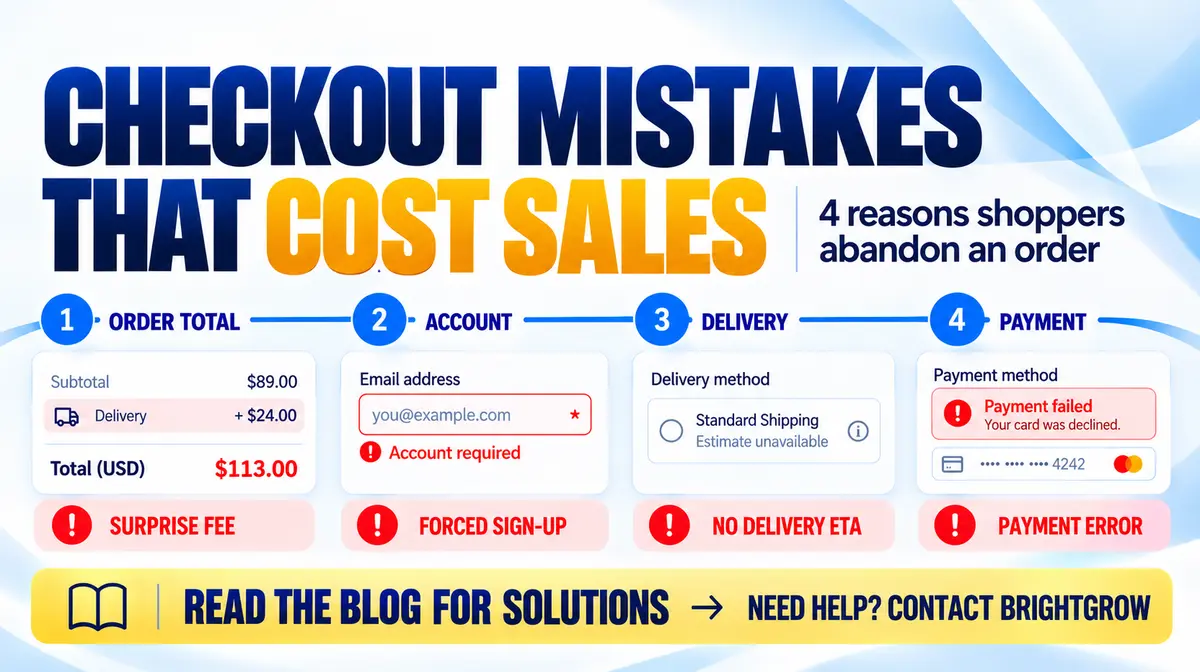
Checkout is where the website asks a ready-to-buy visitor for money and the details needed to fulfil an order. If the total, delivery, form or payment step creates uncertainty, the visitor may leave before placing it. The fixes depend on where that friction appears in the journey.
1. Surprise costs appear at the end
Where it happens: In the cart summary or checkout, when shipping, taxes or required fees appear only after a customer has entered their details. Why it loses orders: The final total no longer matches the price the customer planned for, which can create doubt about the store’s transparency.
What to do: Show the item total and any known delivery or tax charges early. If a charge depends on location, explain that and provide an estimate before the payment step. Avoid adding mandatory fees at the final confirmation.
2. Account creation and long forms slow the order
Where it happens: At the contact and delivery details stage, especially when shoppers must create a password or complete fields that are not needed to fulfil the order. Why it loses orders: Every extra step adds effort, and typing on a phone can make a long form feel even harder.
What to do: Offer guest checkout. Ask only for the information required to take payment and deliver the order, mark optional fields clearly, enable browser autofill, and show progress if checkout has multiple steps.
3. Delivery and returns are unclear
Where it happens: Beside delivery choices, in the order summary, or only on a separate policy page. Why it loses orders: Shoppers may not know when the parcel will arrive, what delivery costs, or what happens if they need to return it.
What to do: Put delivery prices and realistic arrival windows beside each option. Link to a plain-language return policy near the order summary and make sure the information is visible before payment.
4. Payment is difficult or errors are confusing
Where it happens: On the final payment step, including on mobile. Common causes include a preferred payment option being unavailable, fields that are difficult to tap, unclear validation messages, or an error that wipes the customer’s entries.
What to do: Test the payment journey on common phone and desktop sizes. Make the available payment methods clear, label fields plainly, explain how to fix an error, preserve entered details when safe, and provide a visible support option.
How to find where your checkout loses buyers
Test a real order from product page to confirmation on both desktop and mobile. Check the cart, contact details, delivery, payment and confirmation steps; note any surprise, dead end, confusing label or repeated entry.
If analytics are available, compare progression and errors at each step. An exit point shows where to investigate, not automatically why someone left; combine the data with usability testing or customer feedback before choosing a fix.
What to fix first
Start with the clearest obstacle you observed, such as late delivery fees, a forced account or a payment error. Make one focused change, then repeat the full checkout test and monitor the same step for errors and drop-offs.
Keep the experience consistent between desktop and mobile, and make sure the displayed order total, delivery details and payment result match what the customer will actually receive.
The mistake to avoid
Do not assume every abandoned cart has the same cause or redesign checkout based on guesswork. Use customer feedback, step-by-step testing and checkout error data to identify the problem before choosing a fix.
Quick checkout audit
1. Show the full estimated cost before payment 2. Offer guest checkout and remove unnecessary fields 3. Display delivery cost and expected arrival clearly 4. Make return details easy to find before payment 5. Test payment, form errors and recovery on mobile 6. Review abandonment and error rates at each checkout step
What to do next
The right next step depends on your current situation. Explore BrightGrow’s E-commerce Development service for a clearer plan, or use the project and audit routes on the site to begin a conversation.